/ Home
Zoom Installation
Uninstall Zoom client from snap:
sudo snap remove zoom-client

cd /tmp

wget --no-check-certificate https://zoom.us/client/latest/zoom_amd64.deb
	or
	curl -k -O -L https://zoom.us/client/latest/zoom_amd64.deb

sudo dpkg -i ./zoom_amd64.deb

	or
	sudo apt install gdebi
	sudo gdebi zoom_amd64.deb

if any dependency error, use this:
	sudo apt install -f
How to create Rooms in Zoom?
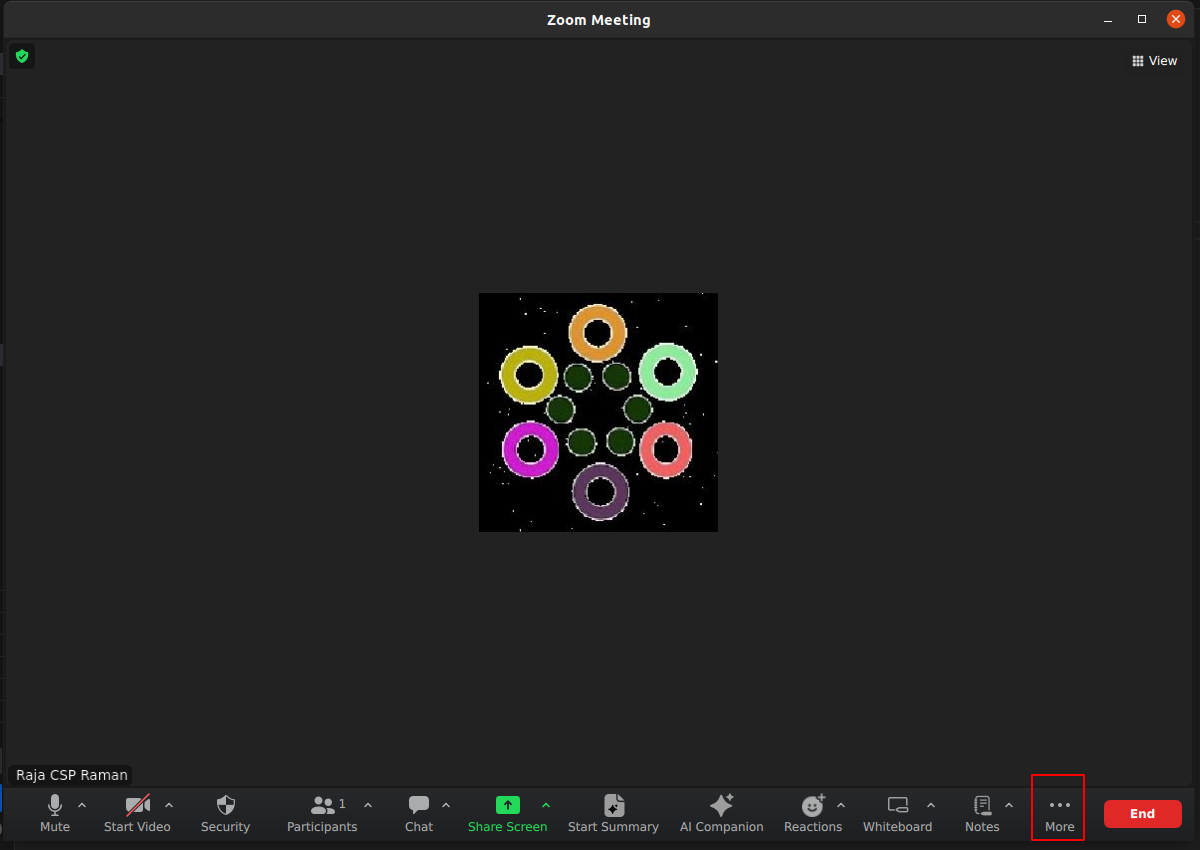
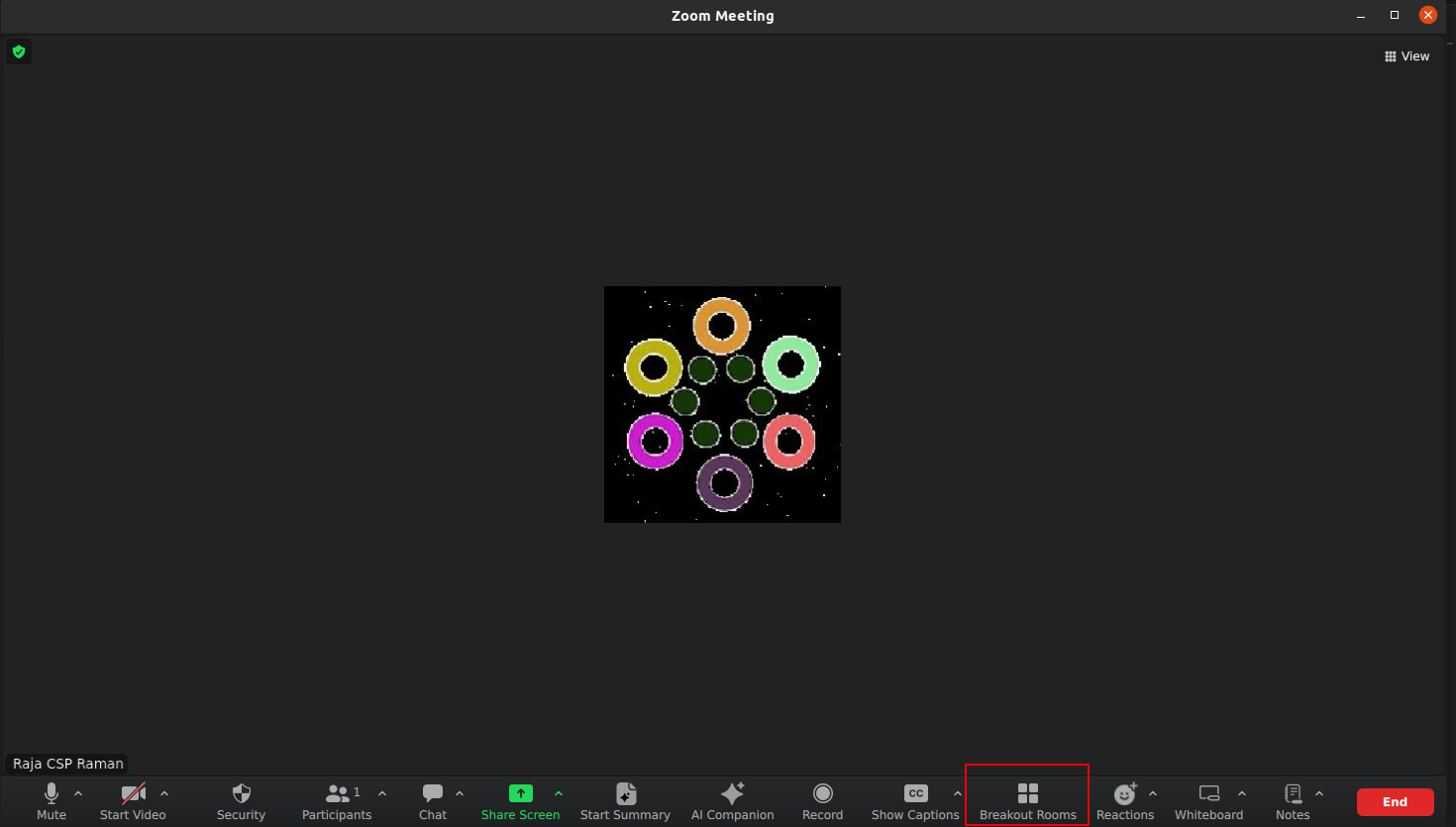
- Check for “Breakout rooms”
It should be either here:
Or here:
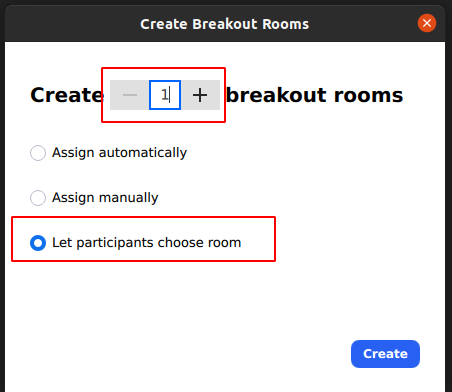
- Choose “Let participants choose room” option
-
Increase rooms count by using + option (check screenshot above)
-
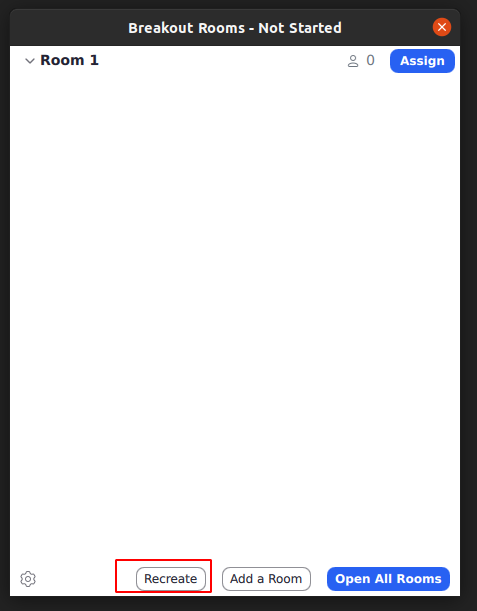
Use Recreate option to increase rooms (sometimes you come across with this)
-
You should be seeing like this:
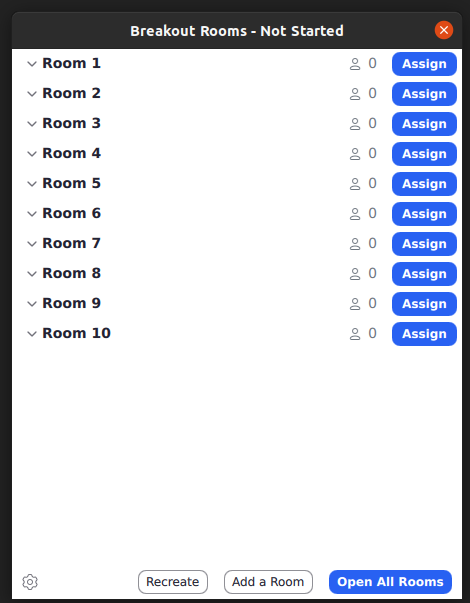
-
Click “Open All Rooms”
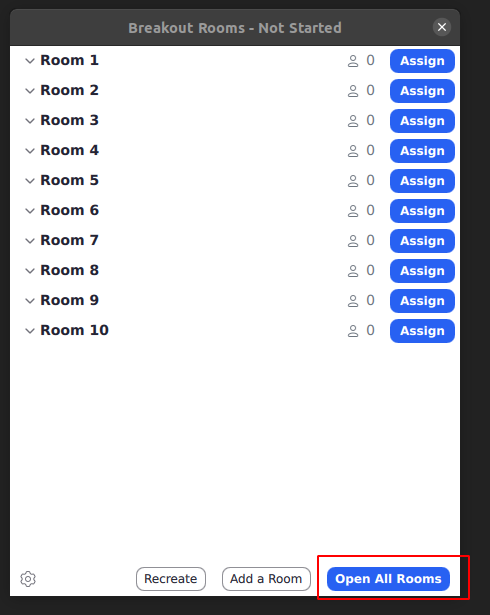
-
You are done!
Zoom Rules:
- Do not Open or Close Breakout Rooms without authorization
- Do not let anyone from the waiting room inside the meet unless authorized to do so
- Announce yourself when entering any room with participants inside
- NEVER END THE MEET unless explicitly told to do so. (Donot end the meet when other interns are working) host/co-host should leave the meet only after assigning host to one of the other interns working in the meet.
- If you loggedin as admin, please log out when you leave to avoid login back conflicts
- If you are a host you have to give co-host to the respected people.
- Make sure to ask the and educate the team members that they also should come and ask to the Host for a co-host permission.
- If you are joining the meet and you need a co-host go and ask the host for a co-host.
- When you are a co-host and someone with unknown name or the person you do not know do not let him in.
- If you are expecting a short break, find the react option near the chat icon -> choose “Be right back” (This will mute your audio and stop your video). Once you are back, click on “I’m Back”.
Zoom Room Rules:
- Every room should have a decent name (pick random topics like islands)
- 11-20 rooms should be created
- Private room must be there and keep it as last room. Private room is only for Manager/Guest. Don’t come into private room without any prior approvals.
- Room number count should be a prime number
 Top 20 prime Numbers:
 2	3	5	7	11	13	17	19	23	29
 31	37	41	43	47	53	59	61	67	71
How to record on zoom
1.click on the record option below

2.choose “record to the cloud” option and record the sessions to the cloud not your local.
Note
-
If you are not in the main room and click on the record option the recoding will be save to Your local,it will not be saved to cloud
-
If you want to record the session in the cloud make sure you are in the main room
Zoom Recording Saving Format
Zoom Recording Saving Format:
{title}-{1-100}-{yyyymmdd}

Samples:
Mock-Interview-Anbarasan-1-20240717
FPR-Framework-Random-Session-1-20240720