/ Home
Kactiian Leaderboard
Repo
https://github.com/kactlabs/turtle-score
1. Clone the repo
git clone git@github.com:kactlabs/turtle-score.git

cd turtle-score

conda activate ml12

conda activate

pip install -r requirements.txt
2. Download this timehseet:
https://docs.google.com/spreadsheets/d/1elZ90et8sd8ogFFKjPwEbx8S14Vts8BEmNkXrW0GGcU/edit
2.1. Save it in local in this format:
Employee-Intern-timesheet-20260102
3. Run server
python app.py
You will see the server like this:
4. Upload the downloaded timesheet (as in screenshot)
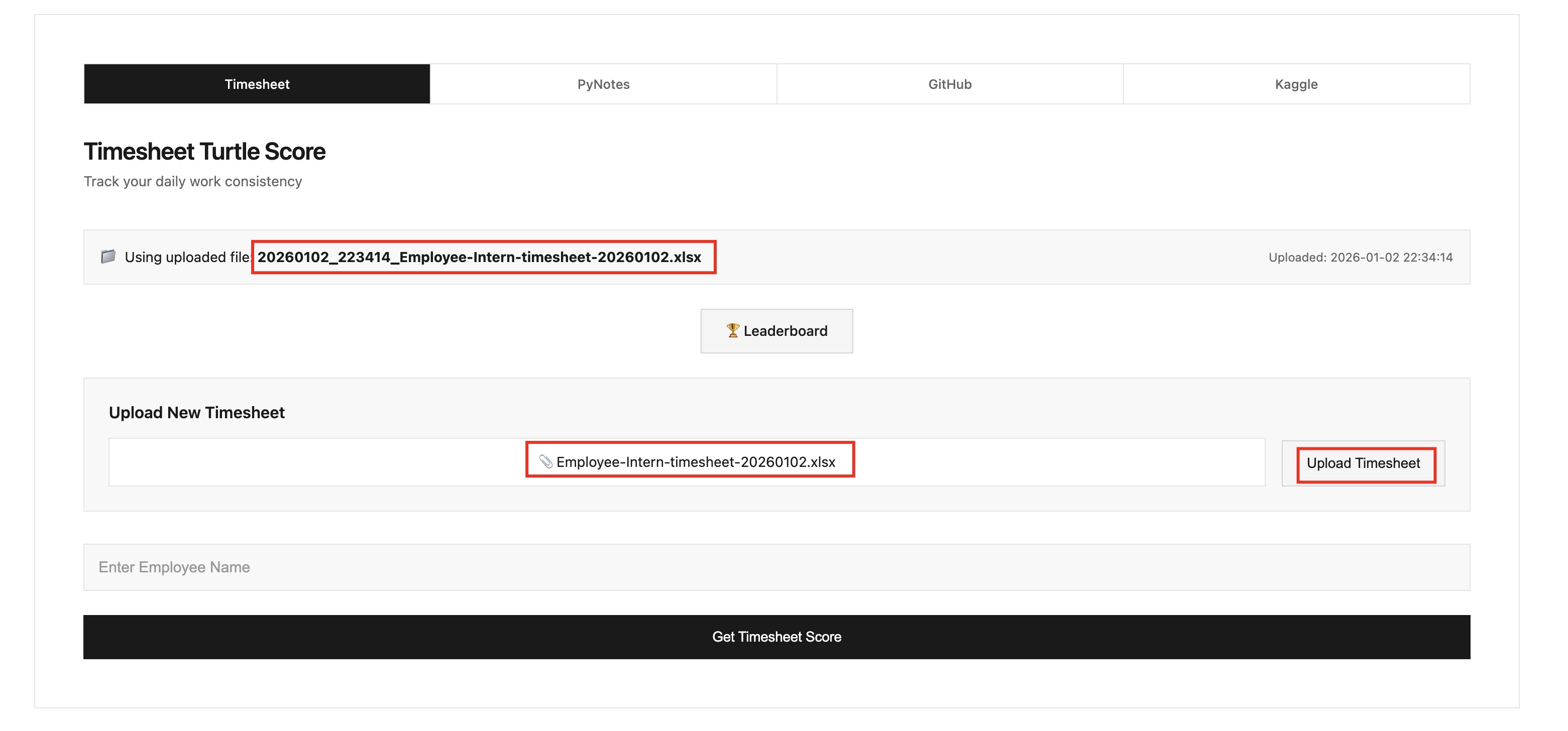
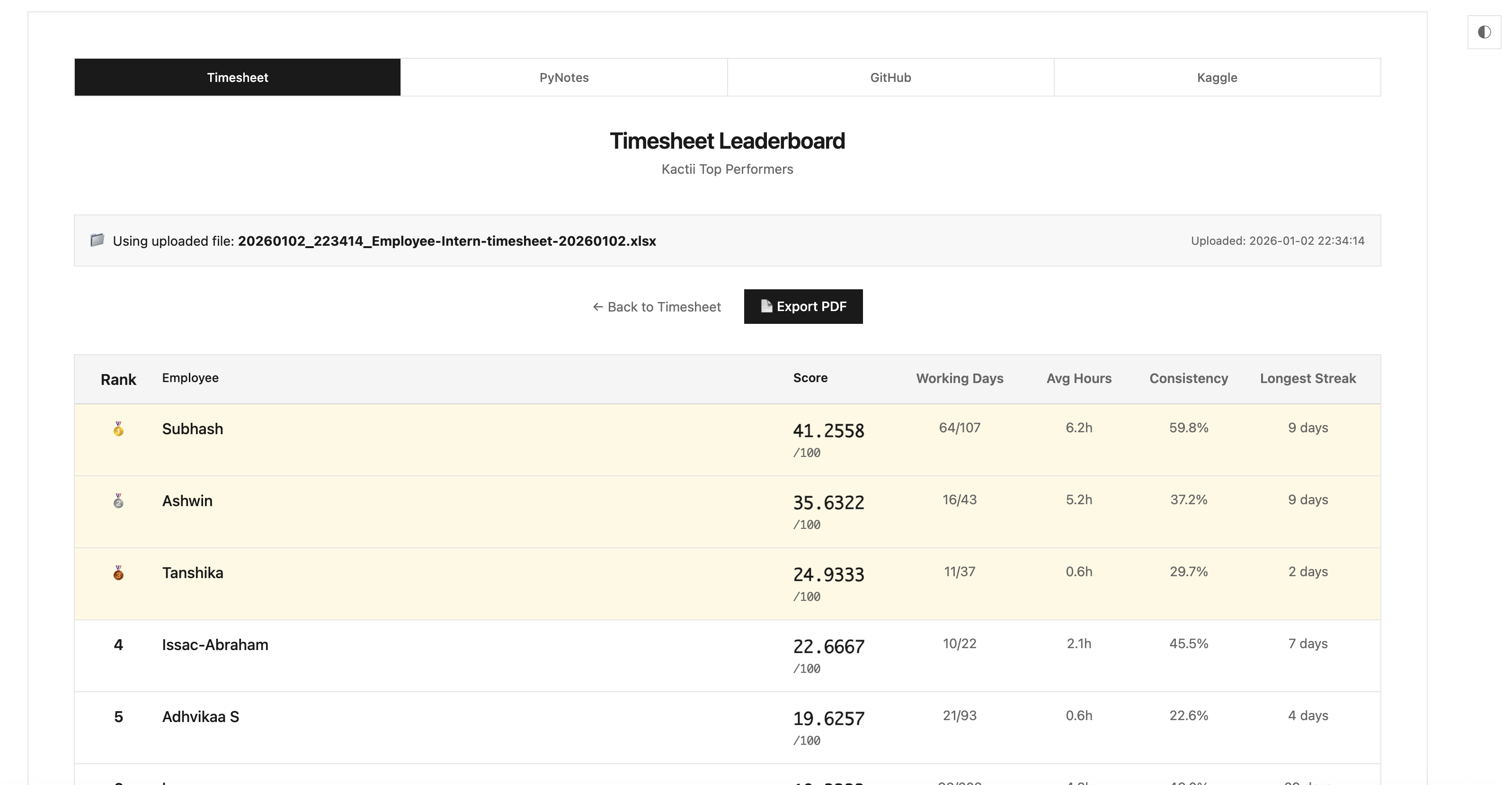
4. Run Leaderboard
- You will get like this
5. Export PDF (as in screenshot)
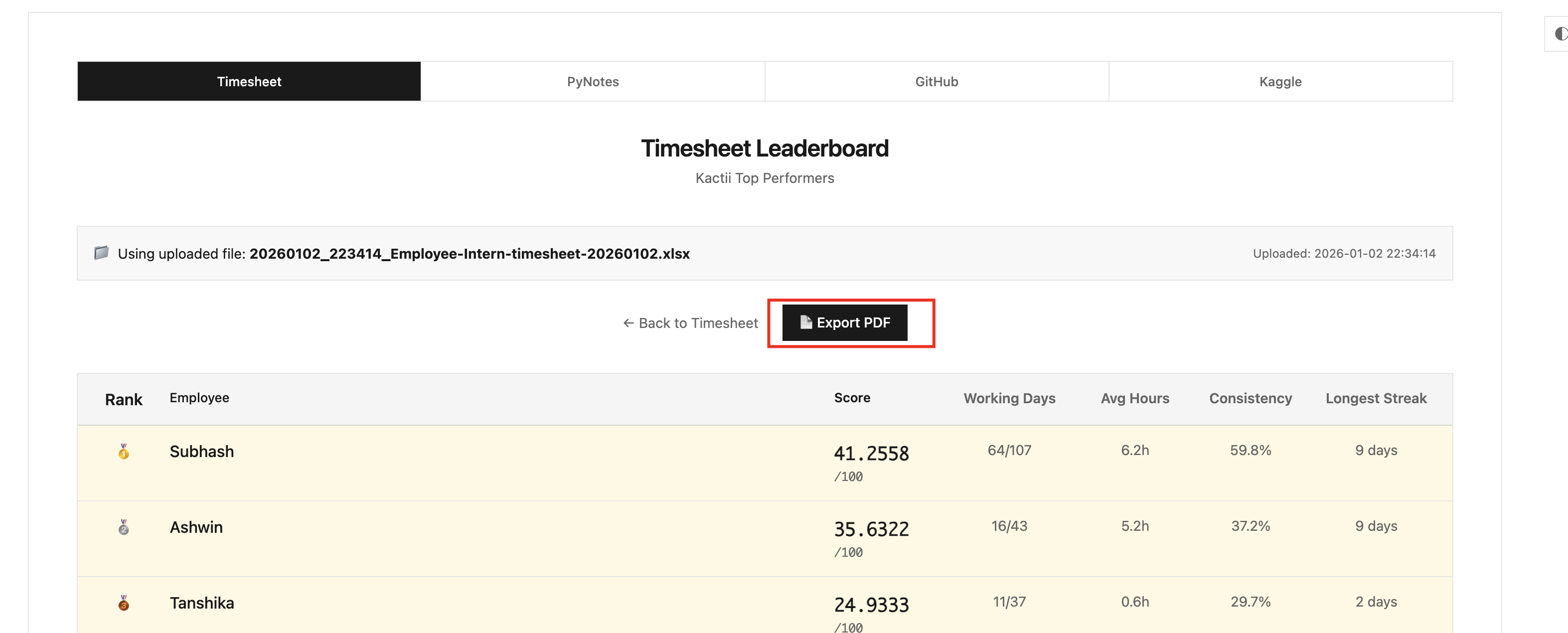
- Save the file
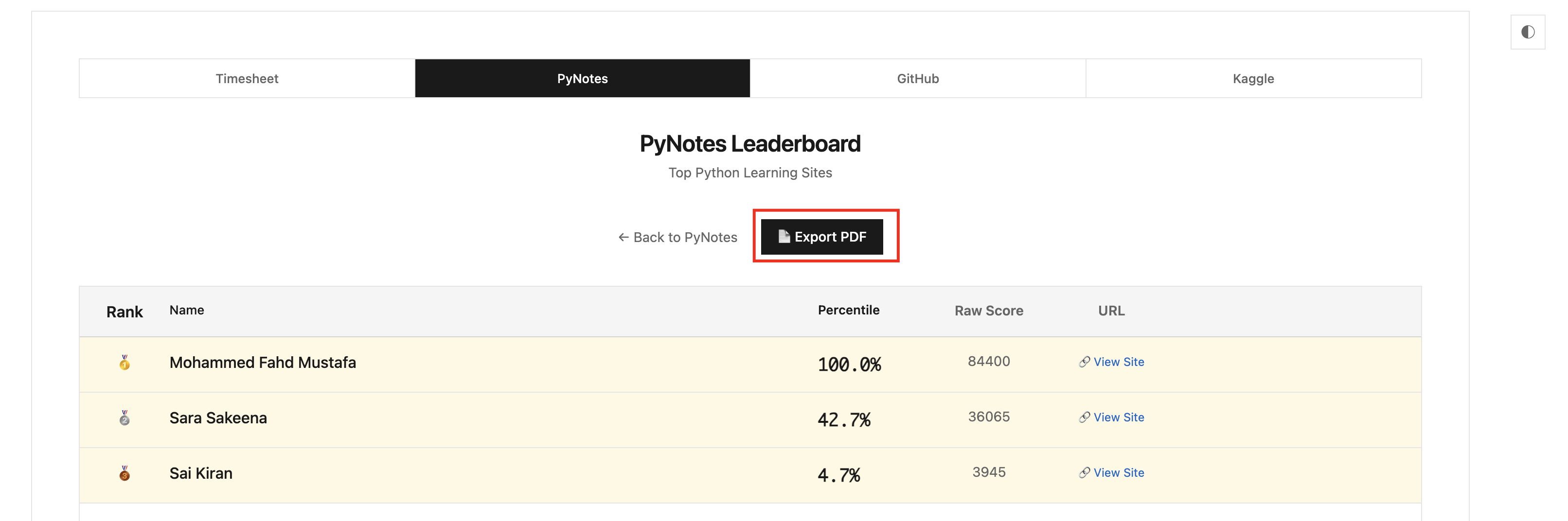
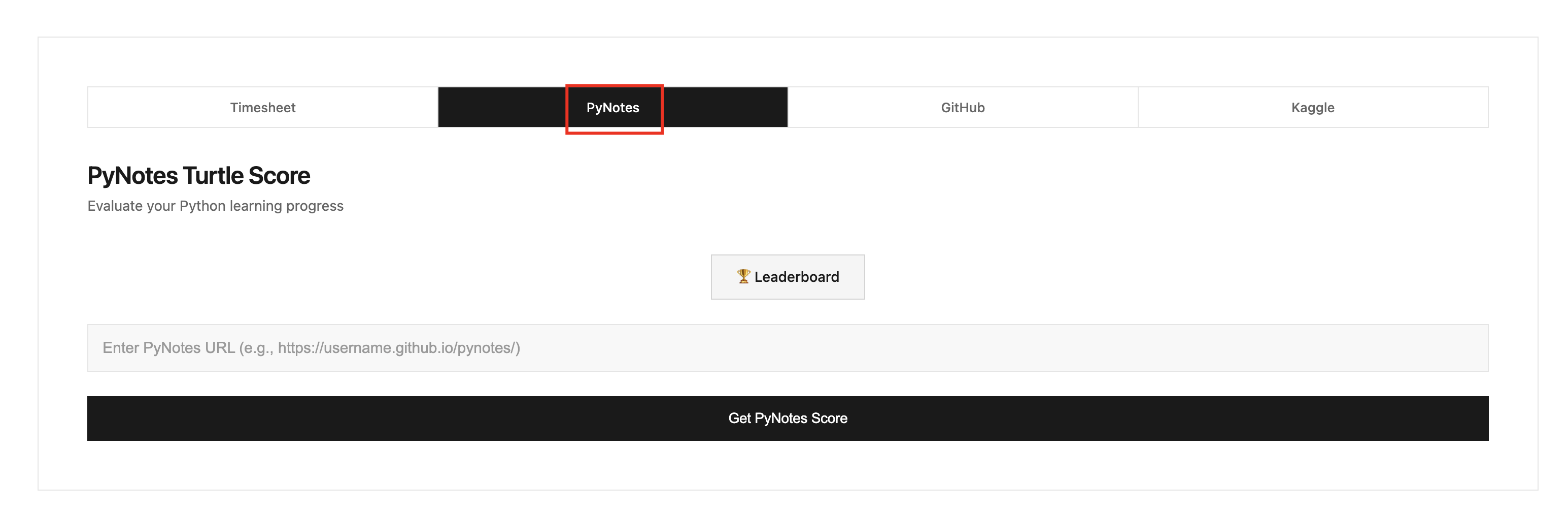
6. PyNotes Leaderboard
Go to the PyNotes section
7. You will get like this
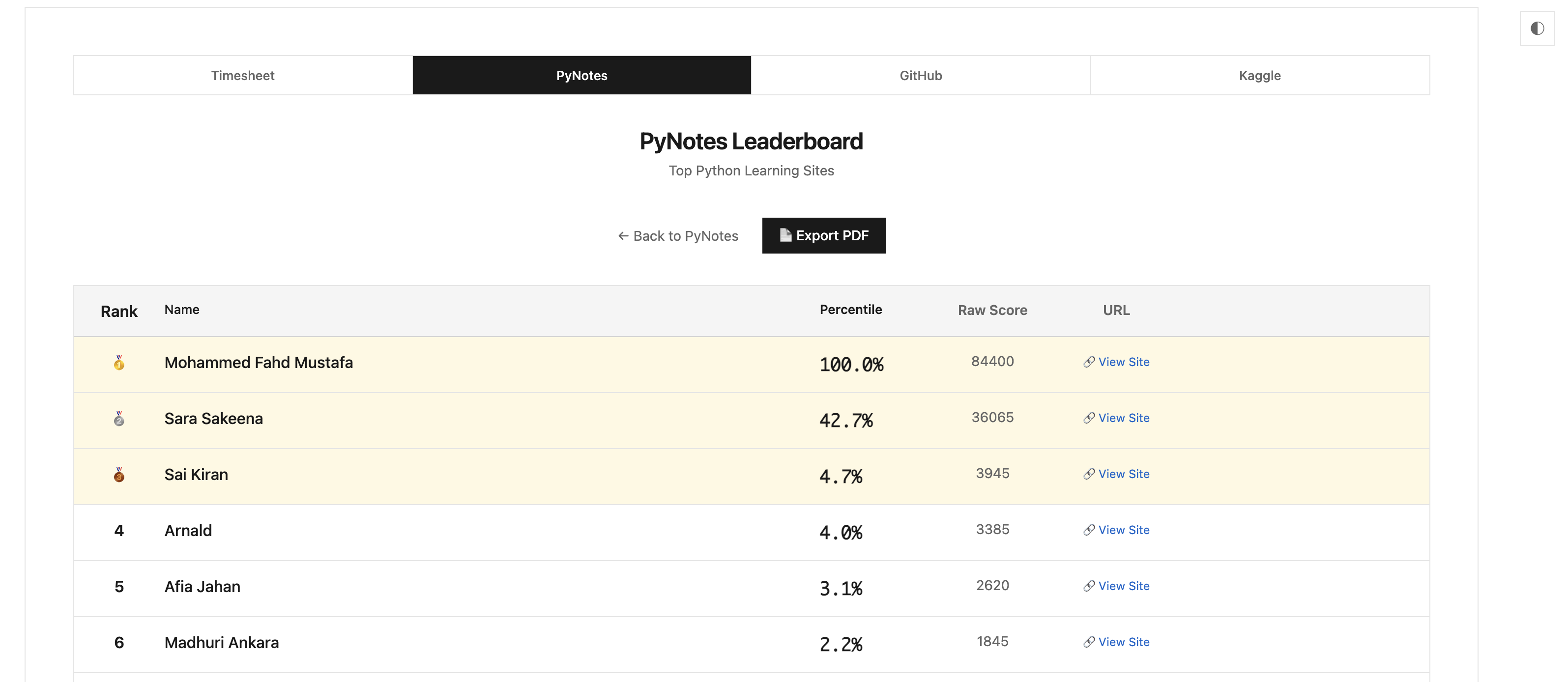
8. Export PDF